
 SSD Data Recovery
 Pen Drive Gone Blank
 Memory Card Not Opening
 External Hard Disk
Data Recovery Software That Shows YouThe Files Before You Pay.
Most data recovery software asks for the card first and shows you the files later. DRE Pro, data recovery software for Windows 10 and 11, does it the other way round. Install it, scan the drive, open the photos and documents it finds, and buy a licence only if what you need is really there.
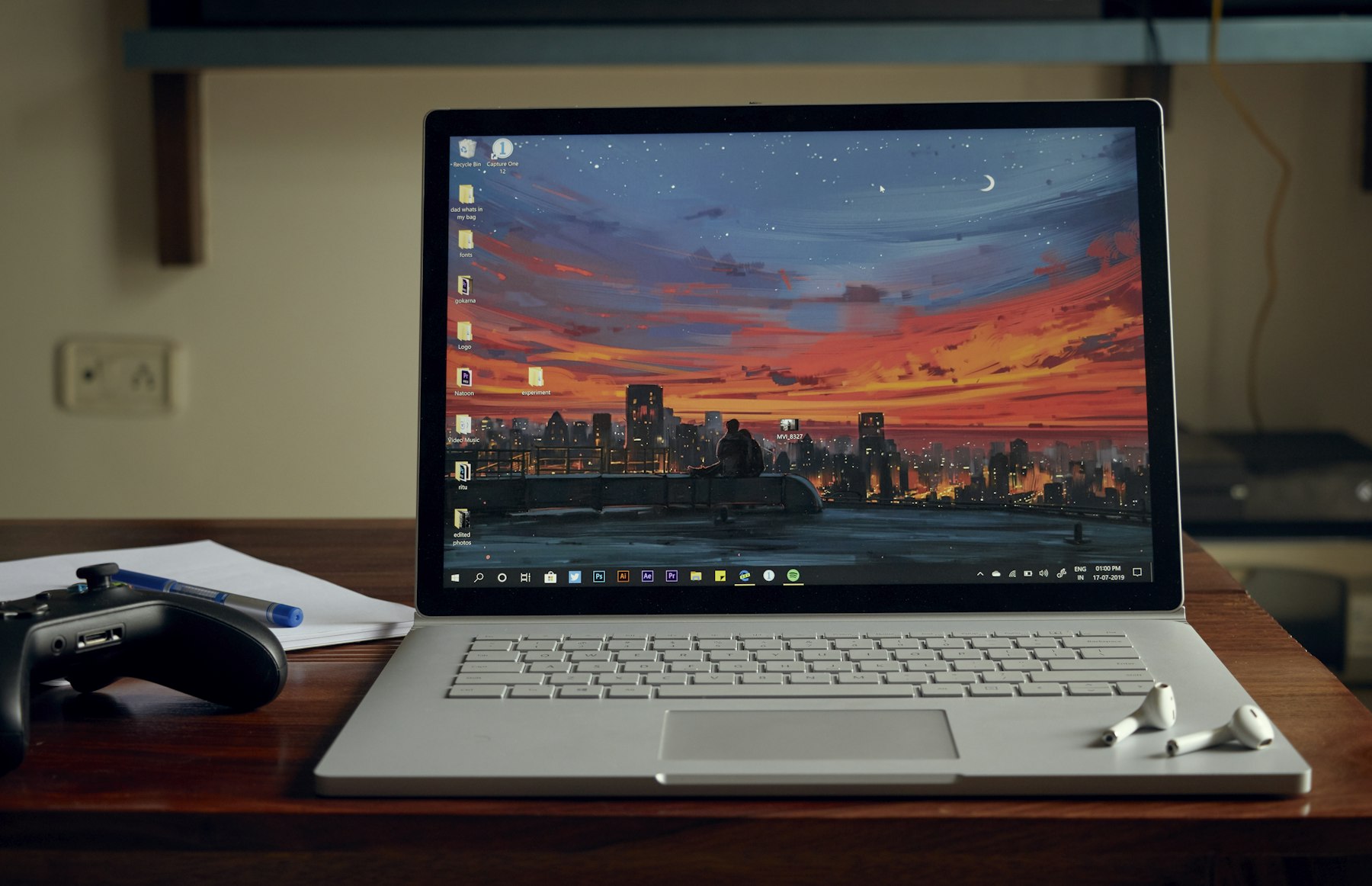

What Data Recovery Software Looks Like In DRE Pro
Three Scans, One Download
Quick Scan for a recent delete, Deep Scan for a formatted or damaged drive, RAW Scan when the file system is gone and only the file types matter.
Free Scan And Preview
The free edition scans any drive and opens the files it finds. No card, no account. The licence is needed only to save.
Reads, Never Writes
DRE Pro opens the drive read-only and refuses to save recovered files back onto it, because writing there is how a lost file becomes a gone one.
Every File Marked
Good, Risky or Overwritten on each file, so you know what you are paying for before you pay.
Pause Tonight, Resume Tomorrow
A Deep Scan of a 2 TB disk takes hours. Saved Scans let you stop, shut down and carry on from the same spot.
Eleven Interface Languages
English, Hindi, Chinese, Spanish, French, German, Russian, Portuguese, Japanese, Italian and Korean, switchable while the app runs.
Every Drive Windows Can See, On One Screen.
The first screen lists the disk inside the computer, the external disks, the pen drives and the cards, each with its size, file system and a health percentage. Click the one that lost the files and the scan starts.
How It Works, Step By Step
- Download DRE Pro and install it on a drive other than the one that lost the files.
- Pick the drive under Drives And Locations. A folder, the desktop or the Recycle Bin can be picked too.
- Choose Quick Scan, Deep Scan or RAW Scan. Results appear while the scan runs.
- Search and filter the results the way you would in File Explorer, then open a file to check it.
- Buy a licence, paste the key and save the files to a different drive.
Why People Pick DRE Pro For This
Not a list of adjectives. Three things that change what happens to your files.
You have already seen the list and opened the files. The licence is ₹999 per computer a year or ₹299 a month, plus GST.
Everything runs on your computer. No file, no file name and no preview leaves it.
Call or WhatsApp the people who build it, Monday to Saturday, 11 AM to 7 PM.
What Data Recovery Software Actually Does
When Windows deletes a file or formats a drive it does not wipe the bytes. It changes the index that says where things are and marks the space as free. Data recovery software reads the drive underneath that index. A Quick Scan reads the old index entries that are still there. A Deep Scan ignores the index and reads every sector from the first to the last, recognising files by what is inside them.
What no software can do is bring back a file whose space has been reused. That is why DRE Pro marks such files Overwritten instead of pretending, and why the first advice on every page of this site is to stop using the drive.
Which Drives And File Systems
Internal hard disks, SATA and NVMe SSDs, external USB disks, pen drives, USB-C drives, SD, microSD and CompactFlash cards and disk image files. NTFS, exFAT and FAT file systems, which covers Windows drives, camera cards and pen drives. Windows 10 and 11.
Questions People Ask Before This One
Short, honest answers. For anything else, the support desk picks up Monday To Saturday, 11:00 AM To 7:00 PM.
Is DRE Pro Free Data Recovery Software?
Which Is The Best Data Recovery Software For Windows?
Does It Work On Windows 10 And Windows 11?
Will It Make Things Worse?
Can It Recover From A Phone Or A RAID Array?
More Software Pages
All Software
Deleted File Recovery
Shift+Delete and the emptied Recycle Bin

Hard Drive Data Recovery
Internal and external hard disks
Formatted Drive Recovery
Files after a quick format
What Happened To Yours?
Every SituationDeleted By Mistake
Shift+Delete, or a Recycle Bin you already emptied
Formatted The Drive
A quick format on the wrong disk
Photos And Videos Missing
A whole trip or a whole shoot, gone
Partition Lost
A drive letter gone from This PC
Drives This Covers
All DrivesScan For Free.
Pay Only To Save.
See every file DRE Pro can bring back before you spend a rupee. ₹999 per computer a year, or ₹299 a month, plus GST.