
 Data Recovery Software
 Pen Drive Gone Blank
 Memory Card Not Opening
 External Hard Disk
SSD Data Recovery.Scan It Today, Not Next Week.
An SSD does not behave like a hard disk after a delete. The drive itself clears freed blocks in the background, a feature called TRIM, and once a block is cleared nothing can read it back. That makes timing the whole game. DRE Pro is SSD recovery software built to scan quickly, read-only and without touching what is left. NVMe data recovery works the same way.
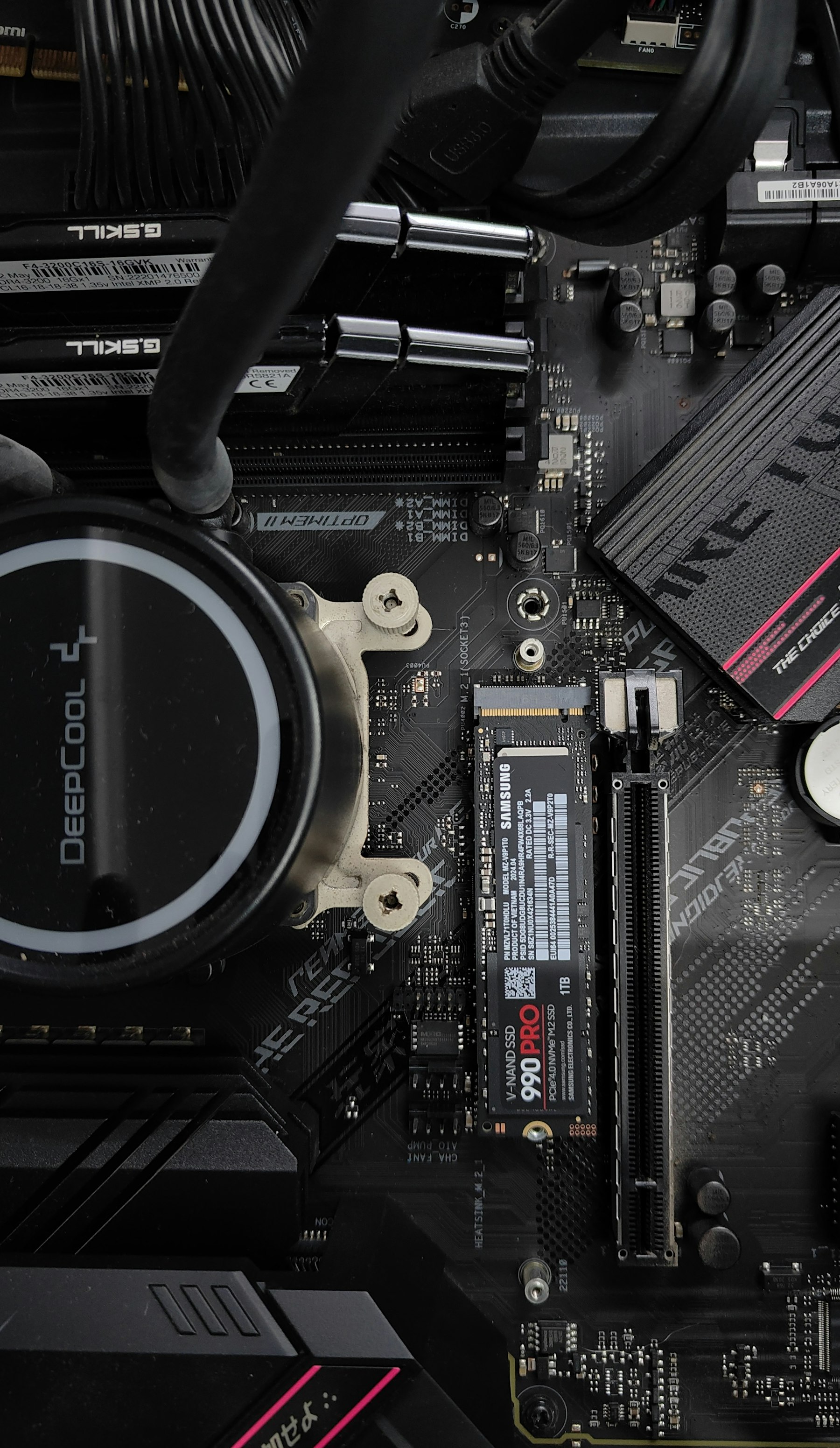

What SSD Data Recovery Looks Like In DRE Pro
SATA And NVMe
2.5-inch SATA SSDs, M.2 SATA and M.2 NVMe drives, inside the computer or in a USB enclosure.
Fast Deep Scan
No moving parts means a Deep Scan of a 1 TB SSD finishes in a fraction of the time a hard disk needs.
Read-Only, Always
DRE Pro never writes to the SSD it is scanning, so it never triggers the drive to clear more blocks.
Lost Partition Recovery
A partition that vanished after a Windows reinstall or a bad resize is found with its folders inside.
Drive Health For SSDs
Wear, temperature and the drive's own verdict, read from the SSD's health report.
Clone To A Bigger SSD
When the SSD is simply full, Clone Entire Disk or Migrate Windows moves everything to a new one.
Start With Quick Scan. It Finishes In Minutes On An SSD.
An SSD reads fast, so even a Deep Scan is quicker than on a hard disk. Quick Scan first for a recent delete, Deep Scan if the drive was formatted or the files are not in the list.
 PhotosJPG, PNG, HEIC, RAW
 VideosMP4, MOV, AVI, MKV
 AudioMP3, WAV, FLAC, M4A
 DocumentsPDF, DOCX, XLSX, PPTX
 EmailsPST, MSG, EML
 ArchivesZIP, RAR, 7Z
 Other FilesEverything Else
How It Works, Step By Step
- Stop using the SSD at once. Every minute of normal use gives TRIM another chance to clear your files.
- If the files were on C:, shut down, fit the SSD to another computer if you can and scan it there.
- Run Quick Scan first. On an SSD it finishes in minutes.
- Run Deep Scan if the files are missing from the list. Save what you find to a different drive.
Why People Pick DRE Pro For This
Not a list of adjectives. Three things that change what happens to your files.
The scan is fast, so the window TRIM leaves you is used well.
If a file's blocks were cleared, DRE Pro says Overwritten rather than selling you a licence for nothing.
Drive Health tells you how much life the SSD has left before you move your files back onto it.
Why SSD Recovery Is Different
On a hard disk a deleted file sits in free space until something new lands on it, which can take weeks. On an SSD, Windows tells the drive which blocks are free and the drive erases them when it has a quiet moment, sometimes within minutes. That is TRIM and it is why an SSD is fast. It is also why a deleted file on an SSD can be gone for good before you have finished searching the Recycle Bin.
The practical rule: scan an SSD the same day. An SSD in a USB enclosure often does not receive TRIM commands at all, which is good news for recovery.
When SSD Recovery Works Well
- Files deleted a moment ago, before TRIM has run.
- A formatted SSD where the format was quick and the drive has not been used since.
- A lost partition after a reinstall or a resize gone wrong.
- An SSD in an external case that the system never trimmed.
- Files on an SSD that Windows no longer boots from, read from another computer.
Questions People Ask Before This One
Short, honest answers. For anything else, the support desk picks up Monday To Saturday, 11:00 AM To 7:00 PM.
Can Deleted Files Be Recovered From An SSD?
Does TRIM Make SSD Recovery Impossible?
Does It Support NVMe Drives?
Should I Make An Image Of An SSD?
More Software Pages
All Software
Hard Drive Data Recovery
Internal and external hard disks

Deleted File Recovery
Shift+Delete and the emptied Recycle Bin
OS Migration Software
Move Windows to a new disk
What Happened To Yours?
Every SituationDeleted By Mistake
Shift+Delete, or a Recycle Bin you already emptied
Windows Reinstalled
A fresh install took the old files
Partition Lost
A drive letter gone from This PC
Drives This Covers
All Drives
Scan For Free.
Pay Only To Save.
See every file DRE Pro can bring back before you spend a rupee. ₹999 per computer a year, or ₹299 a month, plus GST.